



Pinterest review
 Analysis by GetAllApps
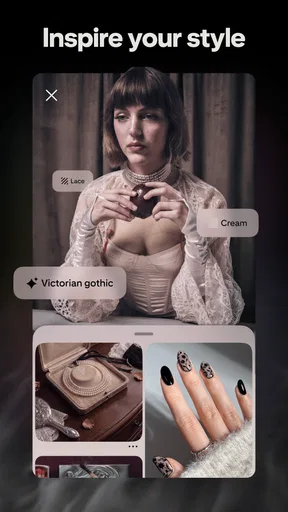
I think Pinterest makes the most sense when I treat it as a visual notebook rather than another social feed. I open it with a question—what should I cook, how might I arrange a small room, what could I make this weekend?—and save useful images as I browse. That simple loop is its strength, but it also means the app is only as helpful as the way I organize what I find.
Created by Pinterest, this free lifestyle app has been around since August 14, 2012. It has a Teen content rating, and its in-app purchases range from $5.88 to $329.41 per item. Its scale is substantial: it has more than a billion installs, an average rating of 4.2 from around 12 million ratings, and about 706,000 written reviews. Those figures suggest broad appeal, though they cannot tell you whether its visual discovery style fits your habits.
How quickly inspiration becomes useful
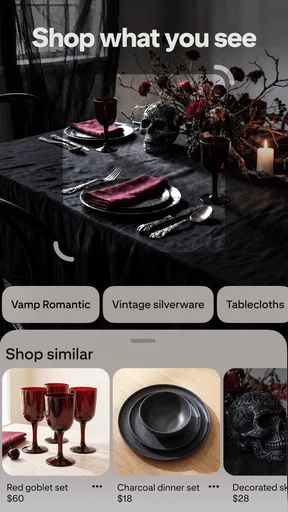
In ordinary use, the experience is built around browsing, opening an image, and deciding whether it is worth keeping. I find that rhythm appealing when I have a loose idea but no precise search terms. A few related images can help me turn “make the entryway less cluttered” into a more specific plan, such as looking for narrow storage or wall hooks.
Speed here is not just how quickly a screen appears. The more important question is how quickly I can move from an attractive picture to something I can actually use. Pinterest is good at getting me into a visual direction, but browsing can also pull me away from the original task. If I open the app to find one dinner idea, it is easy to keep scrolling through recipes that look interesting but do not suit the ingredients I have.
For a more efficient search, I start with a practical phrase rather than a broad theme, then save only the results that answer a real need. A board named for the project—rather than a vague collection such as “ideas”—gives the image context later. This small habit makes the difference between an inspiring feed and a useful reference library.
When browsing gets demanding
Heavy use usually means several searches in a row, opening lots of images, and moving between boards while comparing possibilities. That is where Pinterest’s abundance becomes both its advantage and its main source of friction. I can gather different styles for a room or compare approaches to a craft, but the volume of appealing material makes it easy to save too much and postpone choosing.
I would not judge the app’s performance from one slow image or momentary pause; connection quality and the device can affect how visual content feels. Rather than assume every image will appear instantly, I use a focused search and avoid treating endless browsing as a necessary part of the task. If I am making a decision, I save a small shortlist and compare those items instead of continuing to collect alternatives.
A useful, less obvious workflow is to separate inspiration from execution. I keep one board for broad references and another for ideas I might genuinely try. When planning a room, for instance, the first can hold color combinations and layouts, while the second contains only options that fit the room’s size, budget, and existing furniture. Pinterest helps with the visual comparison; my own constraints do the filtering.
Reliability means being able to find things again
For me, reliability is less about whether an app can keep me entertained and more about whether a saved idea is retrievable when I need it. Boards provide a useful structure, but they need occasional maintenance. If I save every appealing image without naming boards clearly, the collection becomes a second feed: lots to look at, little help when I am standing in a shop or ready to start a project.
I recommend naming boards by action or situation, such as “weeknight meals” or “desk layout,” rather than by mood alone. I also try to save the reason an image matters in the board’s organization instead of relying on memory. This is especially helpful when an image is visually striking but its practical detail—materials, proportions, or a particular technique—is not obvious at a glance.
There is a trade-off: Pinterest is strongest as a place to collect and compare visual references, not as a substitute for checking whether an idea is accurate, safe, or suitable for your circumstances. A polished recipe image does not guarantee the instructions will work for your kitchen, and a furniture arrangement may not translate to your room. I use the app to discover possibilities, then verify practical details before committing time or money.
Choosing the right device and habit
Because the experience is image-led, a larger screen can make side-by-side visual comparisons more comfortable, while a phone is convenient for quick searches and saving ideas as they occur. I would not install it expecting a lightweight text-first reference tool; the appeal is seeing many visual directions and building collections around them. On a device where image browsing feels cumbersome, a conventional search engine or a notes app may be a better fit for a quick factual lookup.
I also keep my expectations modest on a device with limited storage or slower connectivity. A visual app may feel less fluid when images take time to load, but I would not assume that every delay points to a stability problem. If the experience feels sluggish, narrowing searches and avoiding long browsing sessions can help me distinguish a connection or workload issue from a persistent problem.
For shared or family devices, the Teen content rating is worth keeping in mind when deciding whether the app is appropriate for a younger user. It is not a promise that every discovery will match a household’s preferences, so I would accompany a young user and discuss what they are seeing rather than treating the rating as a substitute for supervision.
Where it sits beside other discovery tools
Compared with a general web search, Pinterest is more naturally organized around images and collections. I prefer it when I need to develop a visual direction—color palettes, outfit combinations, room ideas, or craft references—because saving related examples together is part of the experience. For a precise answer, a current news item, or a product’s specifications, a standard search is usually more direct.
Compared with a short-form video feed, Pinterest is better suited to collecting still references that I want to revisit. Video can show a process unfolding, which matters for a repair or a cooking technique; an image is often easier to scan when I am comparing shapes or styles. I would use the two approaches differently rather than expecting Pinterest to explain every step of a project.
It is also not the best choice for someone who wants a strictly chronological feed of updates from people they know. Its value is discovery and saving, not keeping up with friends’ day-to-day posts. If social conversation is the main goal, a messaging or social-networking app will probably feel more immediate.
Who gets the most from it
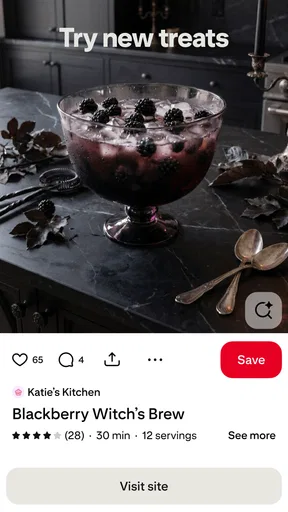
I recommend Pinterest to people who think visually and like collecting references before making a decision. It is particularly useful for planning a party, assembling a home project, finding meal inspiration, or developing a personal style. A realistic everyday use is opening it before grocery shopping: I can look for a dish that fits what is already in the kitchen, save a few candidates to a food board, and choose one without trying to remember an image later.
It is less suitable if browsing tends to become procrastination, if you need authoritative instructions first, or if you prefer a clean list of direct answers. In those cases, I would begin with a trusted recipe source, a specialist guide, or a search tool, and use Pinterest only if visual examples would help. The app works best as a starting point or companion, not as the final judge of whether an idea is practical.
My overall view is positive, with a clear condition: use it deliberately. Pinterest can make vague plans easier to picture and give those references a home, but its plentiful imagery rewards a little restraint. Create boards around real projects, save selectively, and leave the feed when you have enough options to decide.
As a free lifestyle app with a Teen rating, it is easy to try, while the listed in-app purchases mean some spending may be offered inside the experience. I would not pay simply for the promise of inspiration; the everyday value comes from whether I return to the ideas I save. For visual planning and personal collections, Pinterest is a capable tool. For quick facts, guided instruction, or a distraction-free task list, I would reach for something more focused.
Pros and cons
Pros
- Visual boards make it easy to organize ideas by project or interest.
- Search suggestions help uncover related inspiration quickly.
- Pins link back to their original sources for more details.
- Collaborative boards let people contribute ideas together.
- Home feed recommendations adapt to your interests over time.
Cons
- Some pins lead to outdated or unavailable pages.
- Sponsored content can appear alongside regular recommendations.
- Search results may include repetitive or loosely related pins.
- A Pinterest account is needed to save and organize pins.
- The feed can encourage long browsing sessions.


